
Deleting Audit Drafts
Last updated April 13, 2026
Audits that are in progress appear as "drafts" on MyFieldAudits. If you'd like to delete drafts that are no longer needed, follow the steps below.
IMPORTANT NOTE: once you delete a draft, it can not be recovered.
Deleting Drafts on Mobile
- Open the Schedule or Audits tab
- Tap on the draft you'd like to delete and tap Continue
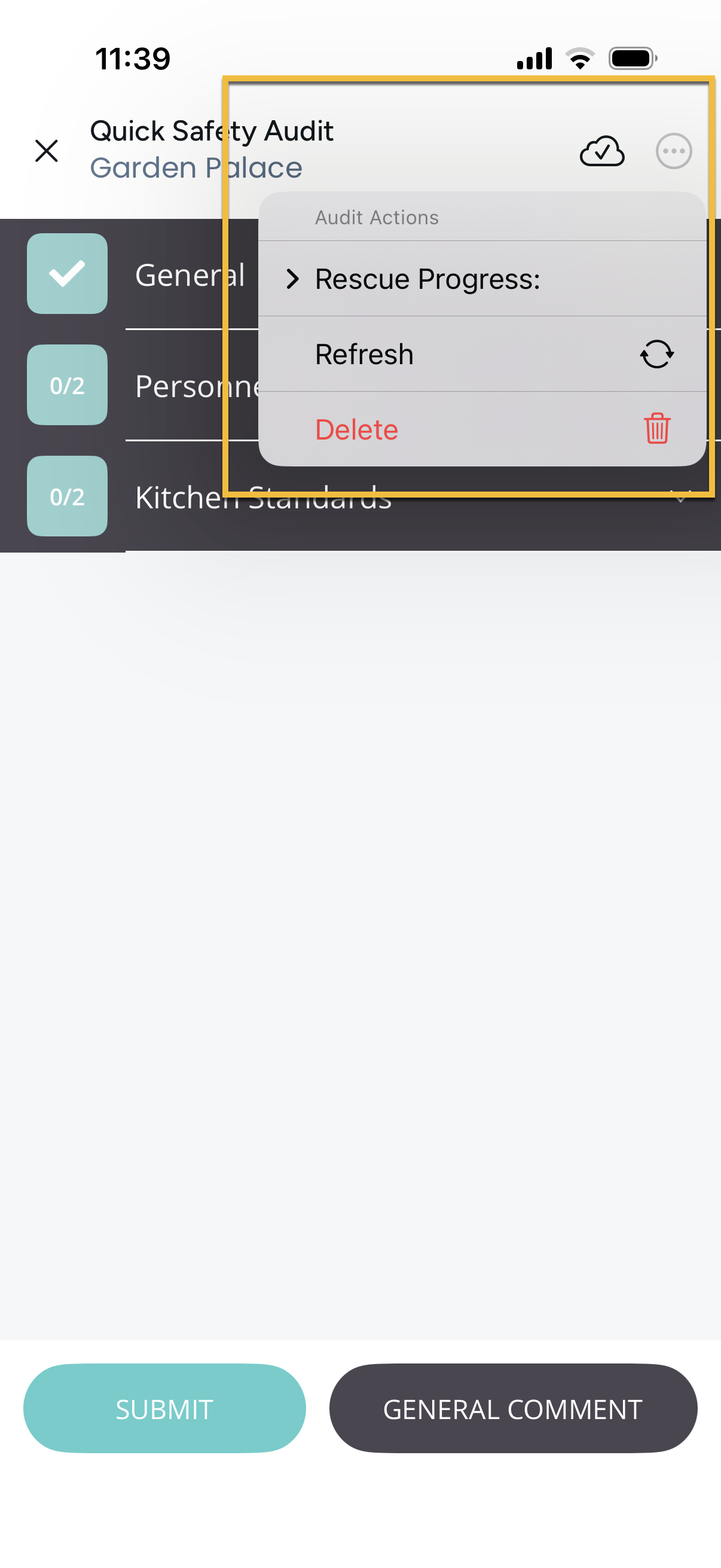
- Tap the (...) symbol in the top right corner
- Select Delete Draft and confirm
Deleting Drafts on Desktop
- Go to the Fill out Audits tab
- Select the Location, Audit and Draft
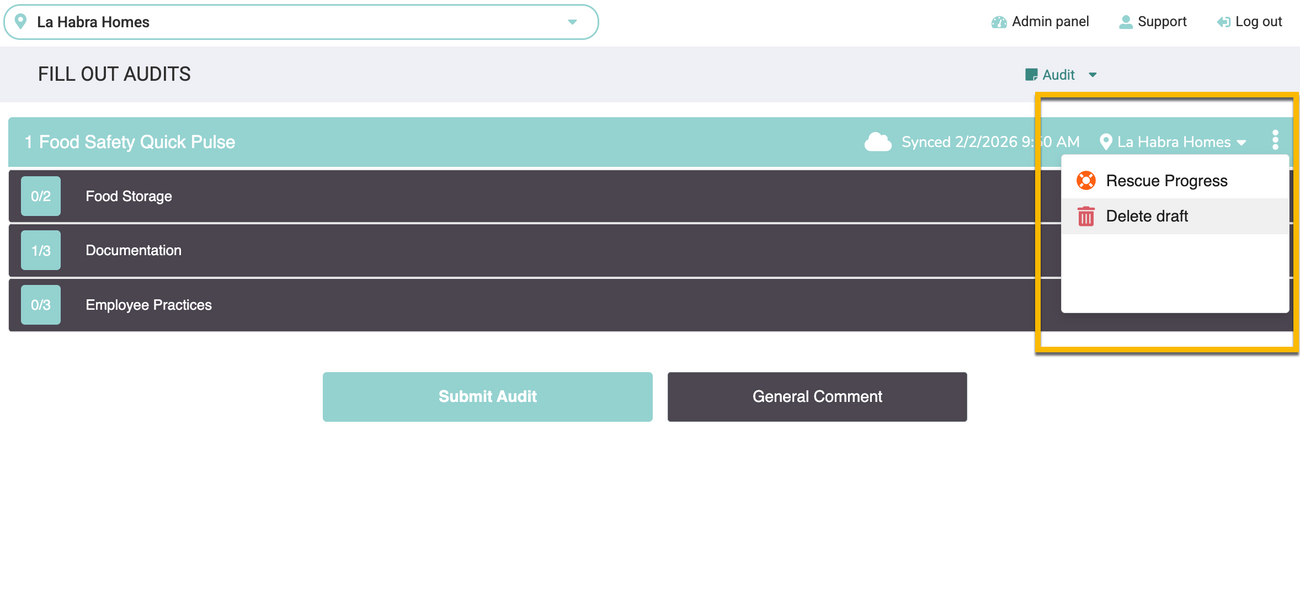
- Tap the (⋮) in the top right corner
- Select Delete Draft and confirm
Was this article helpful?