

New Feature: Add Reference Photos to Audits
Last updated March 2, 2026
MyFieldAudits now allows you to add location specific Reference Photos to audit questions.
These photos can be used to show onsite teams important information for their location. They are also reflected in completed audit records for comparison.
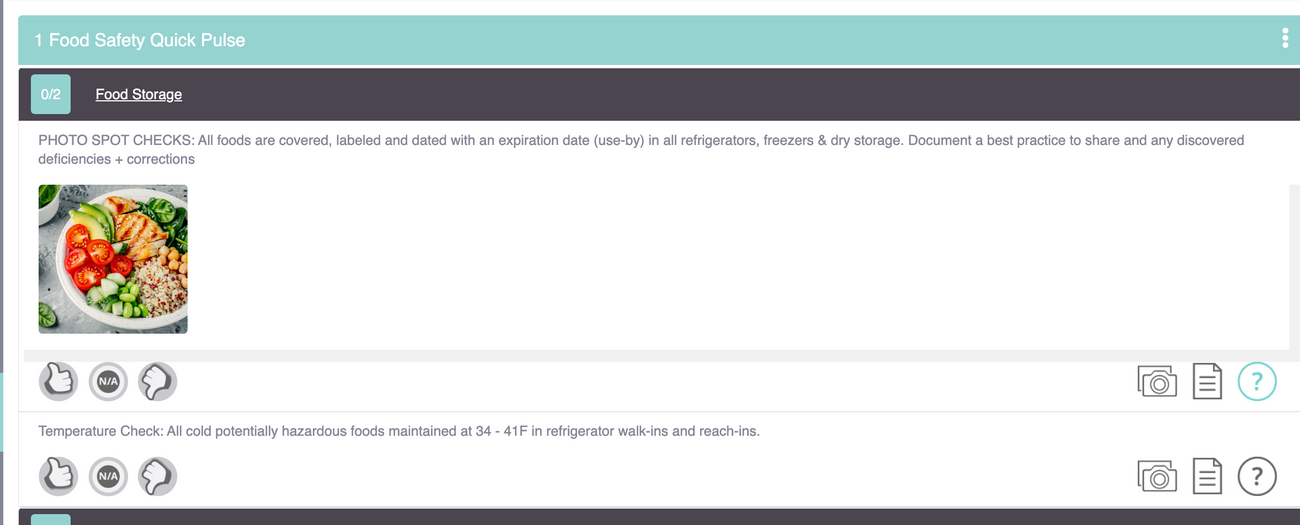
To add these photos, you'll need Audit Admin permission
- Go to the admin panel
- Select the Audits bubble
- Click the Categories/Questions button on the audit you want to edit
- Click the audit category to see the individual questions
To start adding photos:
- Click the Photo Icon next to the question
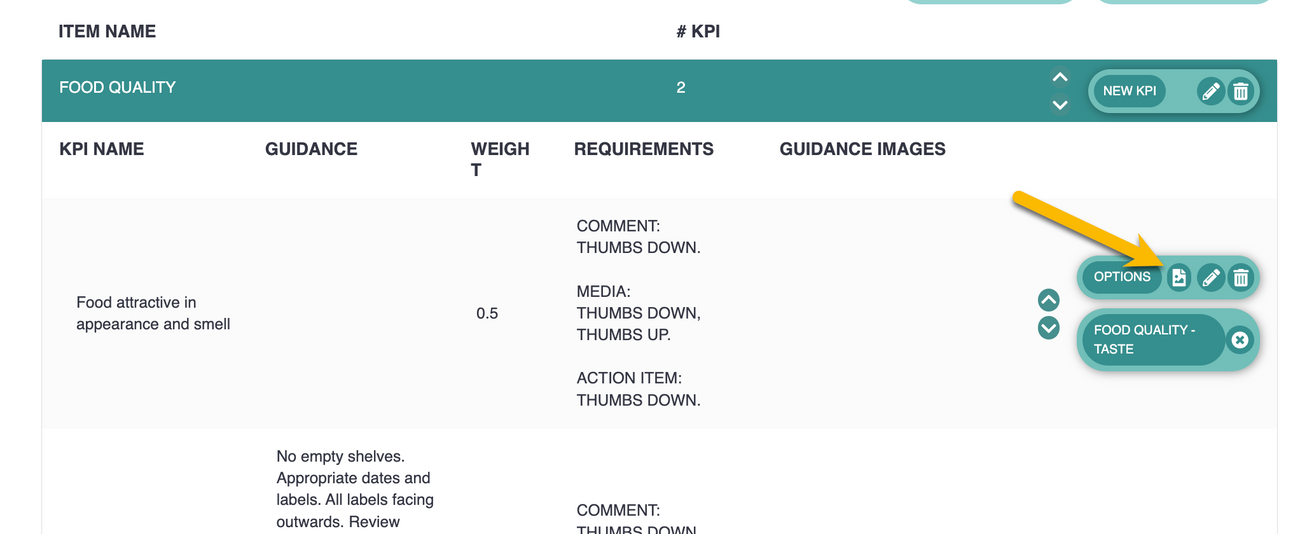
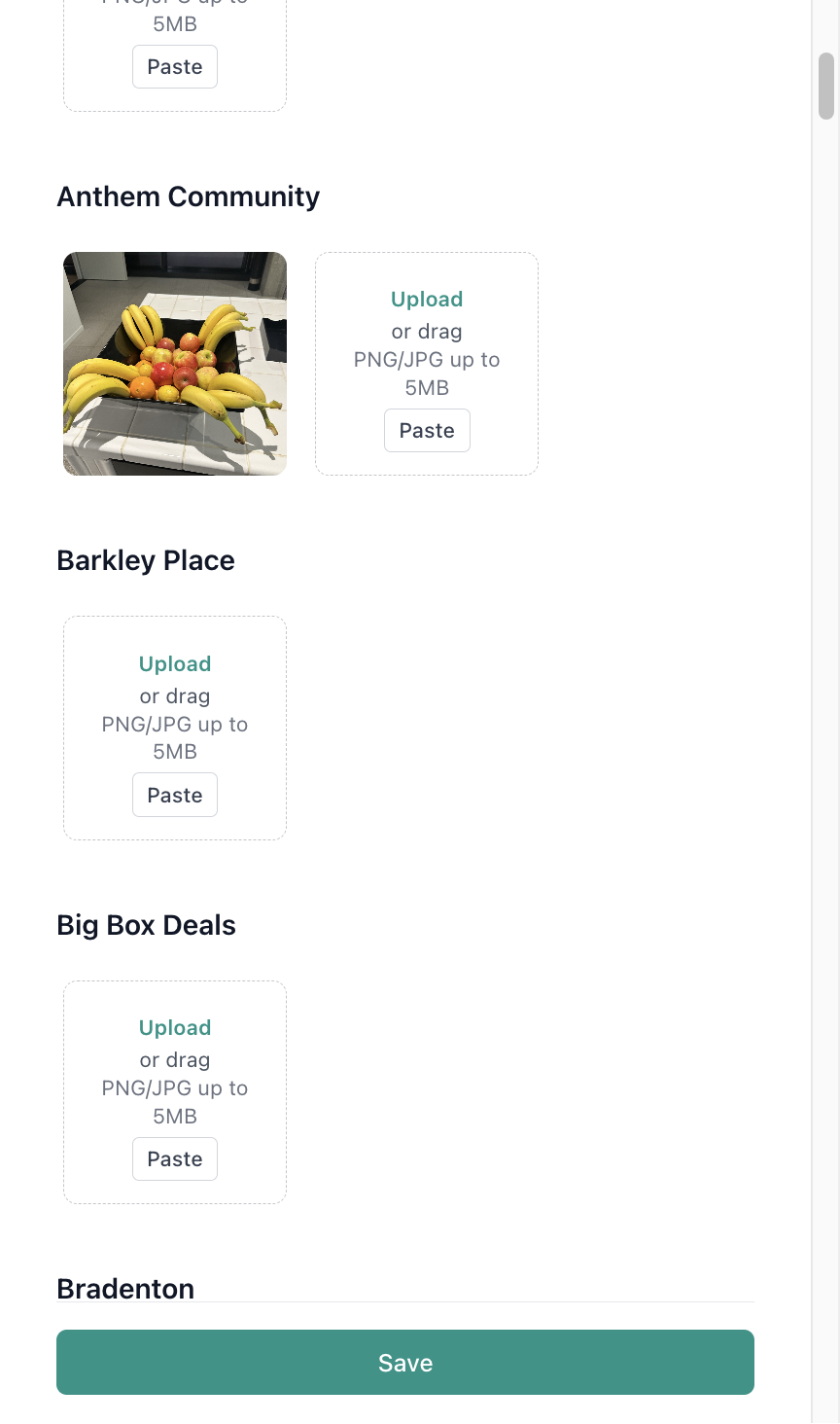
- Use the editor to drag and drop, upload or copy paste photos to each location
- Note: You can search location or use the Group Edit feature to upload photos to multiple sites at the same time
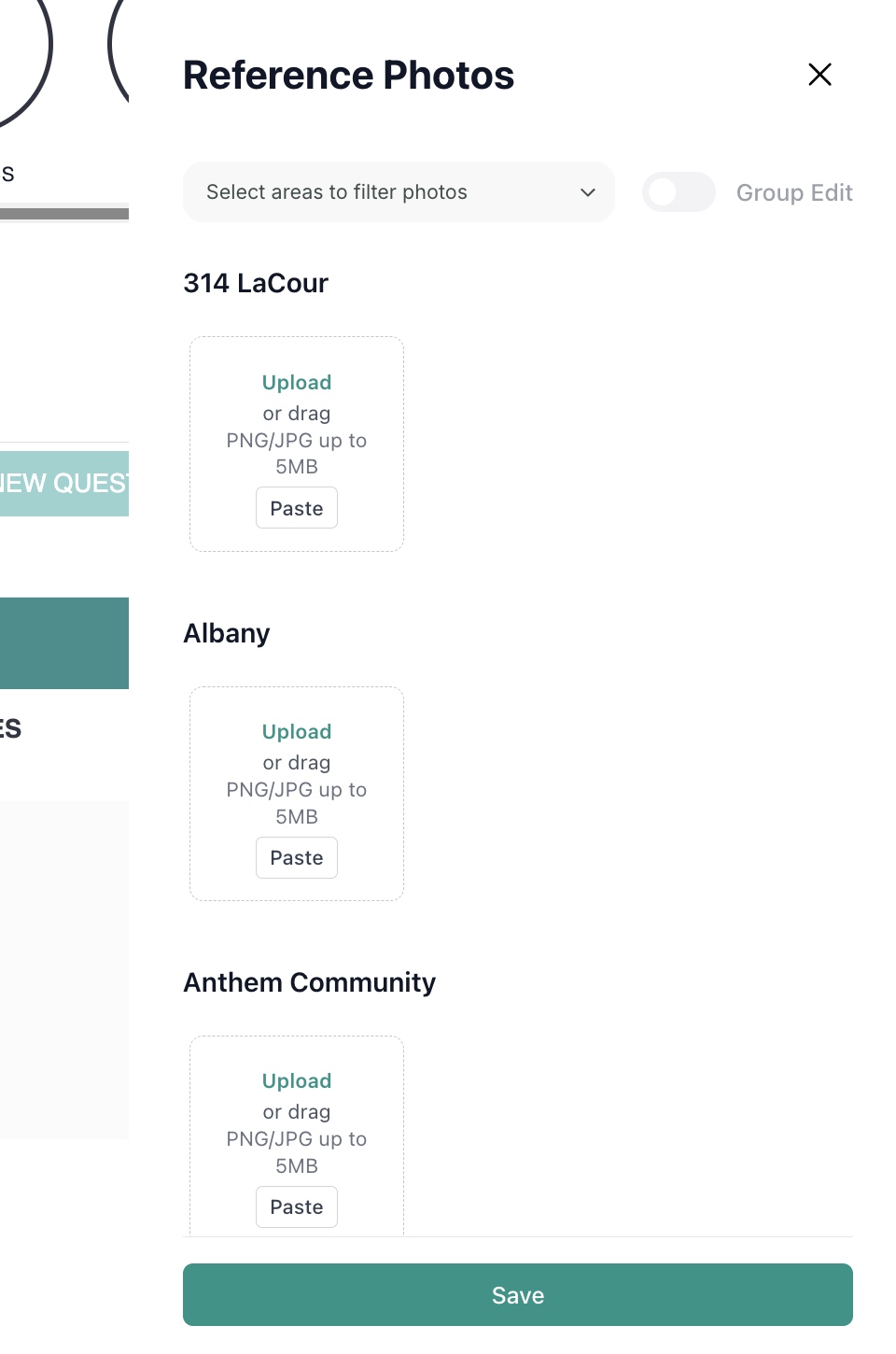
- Click Save when complete
Was this article helpful?